










Hover Racer Drive







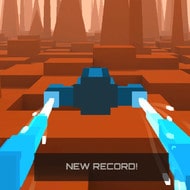
You drop onto the launch strip with the throttle already humming, and the skyline ahead flickers under a wash of neon. A hoop glows pink past a rising barrier, with no countdown to ease you in. Hover Racer Drive throws you straight into the drift the moment the pad releases you, and only fast hands keep the run from ending in a wrecked hull.
| Genre | Arcade hovercraft racer |
| Platform | Browser (desktop and mobile) |
| Controls | WASD or arrow keys, Shift to boost, Space to slide |
| Objective | Fly as far as possible, banking credits through hoops without crashing |
Chasing Credits Through the Hoops
The scoring loop in Hover Racer Drive is easy to describe and hard to master: colored hoops sit along every route, and clipping through one banks credits and gives your hovercraft a short burst of speed. Miss the line by a few pixels and the hoop does nothing, so veteran players steer toward the next ring long before they reach it instead of reacting late. Distance alone builds a score, but credits are what unlock the rest of the game.
New players often ask how credits are earned, since nothing on the launch pad explains it. The answer is entirely tied to those hoops — chain several without a miss and the run feels faster, since each pass stacks a brief speed window on top of the last.
That stacking mechanic separates a mediocre run from a leaderboard entry.
Building Your Hovercraft Fleet
Credits earned mid-run get spent afterward on the hovercraft itself, and the upgrade menu covers more than looks. Players typically put credits toward:
- Paint jobs and decals that change how your craft looks
- Performance upgrades that raise top speed and turning response
- Alternate hovercraft chassis unlocked once enough credits are banked
Collectors who care how their craft looks keep grinding hoops for decals long after every upgrade is bought.
Neon Cityscapes, Canyons, and Mountain Passes
Hover Racer Drive rotates through a handful of distinct settings rather than one repeating strip. The neon cityscape is the one most players picture first, all rooftop barriers and narrow gaps between towers, but a run eventually opens into canyon walls and mountain passes where obstacles sit wider and a bad slide punishes harder than a city collision would.
A common question is whether an actual finish line waits somewhere down the track. There is not — Hover Racer Drive runs on distance and credits rather than a fixed course, so every run ends with a crash and a score to beat next time.
That no-finish-line structure is what players argue about most. Some find the endless format addictive, while others wish the canyon and mountain sections were a proper circuit instead of a late-run reward.
Mastering the Boost-and-Slide Rhythm
Underneath the visuals, Hover Racer Drive only asks you to manage three inputs well: steering with WASD or the arrow keys, timing Shift for boost, and tapping Space to slide sideways through gaps a straight line would not clear. Boosting without a clear lane ahead is how most new players end their first few runs early, since the extra speed shrinks the reaction window right when barriers get denser.
Crashing into an obstacle ends the run immediately and locks in whatever score and credits were banked — there is no mid-run recovery, so a late boost is a real gamble.
Players chasing a leaderboard spot play conservatively through the cityscape and save boost for the canyon stretch, where hoop density rewards a well-timed burst more than early speed does.
Hover Racer Drive rewards exactly the kind of repetition its format demands: learn where the hoops sit, bank enough credits for a faster hovercraft, and the same neon skyline that wrecked your first run starts to feel like a track you know.
Comments
There are no reviews yet. Be the first one to write one.