











Dubai Hidden Objects



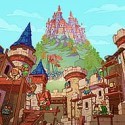







In Dubai Hidden Objects you start with a single crowded cityscape and a long list of things to find, which matters because everything else follows from how you scan the picture. There is no story and no menu to learn, only a dense image and your own patience. That simplicity is exactly what makes the game easy to pick up and surprisingly hard to put down.
| Genre | Hidden object puzzle |
| Setting | A detailed Dubai cityscape |
| Targets | Hidden objects, letters and numbers |
| Controls | Click or tap, with pinch or long click to zoom |
| Platform | Browser, on desktop and mobile |
| Players | 1 |
Reading the Dubai Scene in Dubai Hidden Objects
The picture is built to hide things in plain sight. Buildings, streets and busy details fill the whole screen, so targets sit inside shapes that look like part of the city. Your first minute is better spent studying the layout than clicking at random, because wild clicking rarely finds anything.
A reliable beginner mistake is to stare at the center and ignore the edges. Hidden items are spread across the whole picture, and the corners usually hide the ones that are left at the end. Working in a slow sweep from one side to the other beats jumping around.
Players who enjoy visual search puzzles will settle into a rhythm quickly. Players new to the genre may need a few rounds before their eyes learn what a hidden target tends to look like. That learning curve is gentle, and it is part of why the game feels relaxing.
Objects, Letters and Numbers: Three Kinds of Targets
The game asks you to find three kinds of things: hidden objects, hidden letters and hidden numbers. Each one makes you look at the scene differently. Objects reward recognition, while letters and numbers reward noticing shapes that quietly echo a character.
Letters and numbers are usually the harder ones, because they blend into lines and angles that look natural in a cityscape. A curve in a building or a bend in a road can turn out to be exactly what you need. When a hunt stalls, switch from looking for objects to looking for shapes and the scene often opens up.
Honest note: with so many target types in one picture, some players find the final few targets more frustrating than fun. That is normal for the genre, and the zoom controls are there to help with it. If you get stuck, take a short break and come back with fresh eyes.
Zoom, Full Screen and Touch Controls
The controls are simple but important. You click or tap a target to select it, and you can pinch or long click to zoom in on a section of the picture. There is also a full screen button in the top right corner, which gives you more room to inspect small areas.
Zooming is the best tool in the whole game. Small targets that vanish at normal size become obvious once you magnify the right area, and that is especially true on a small phone screen. Try to zoom in on dense areas first, then pull back to scan the broader scene.
Touch play has one catch: small hit areas can lead to misses when your fingertip covers the target. Zooming in before you tap solves most of those problems. On desktop, the mouse is more precise, but the same habit still helps.
Speed, Replays and Casual Competition
Listings for this game describe the goal as finding everything in Dubai as fast as possible, so time is part of the challenge. That turns a quiet puzzle into a small race against your own best run. Players who like a quick break between tasks can ignore the clock, while speed-focused players will chase a better time.
Replaying the same scene gets faster because you remember where earlier targets were hiding. Memory becomes a real advantage, and the second or third run feels very different from the first. Competitive players tend to learn the picture almost by heart.
That repeatability is both a strength and a limit. A single scene gives you a clean, focused puzzle, but it will not offer the variety of a long campaign. It suits short sessions better than long ones.
Questions About Dubai Hidden Objects
How do you zoom in Dubai Hidden Objects?
Pinch on a touch screen or use a long click with the mouse to magnify part of the picture. You can also use the full screen button in the top right corner to enlarge the whole scene. Zoom is the best way to find tiny hidden letters and numbers.
What do you have to find?
You look for hidden objects, hidden letters and hidden numbers scattered across the Dubai cityscape. Each target is found by clicking or tapping on it once you spot it. Finding every one of them is the goal, and some listings describe doing it as quickly as you can.
Can you play it on a phone?
Yes, the game supports touch controls, so tapping and pinching work on a phone or tablet. Zooming in before you tap helps avoid misses on a small screen. A larger screen or full screen mode makes the hunt easier.
Dubai Hidden Objects works best when you treat the cityscape as a puzzle to read rather than a picture to glance at. Learn the zoom, hunt the hidden letters and numbers by their shapes, and use the full screen button when a section gets too dense for a small window.
Comments
There are no reviews yet. Be the first one to write one.