








Tiny Brutalism

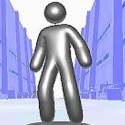






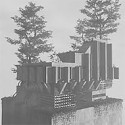
You click and hold on an empty plot, and a slab of concrete spreads across the grid, then climbs into a tower you did not quite plan. That is the opening feeling of Tiny Brutalism, a cozy sandbox for making not-so-cozy architecture. There are no objectives, no timers, and no right way to build, only blocks of raw concrete and a lot of sky.
| Genre | Cozy building sandbox |
| Platforms | Windows, macOS, Linux |
| Style | Black and white brutalist architecture |
| Goal | None, build whatever you like |
Building and Removing in Tiny Brutalism
The controls are small enough to learn in one sitting. A click builds, and holding the click fills an area. Shift plus click removes, Ctrl or Cmd plus Z undoes a mistake, and holding the button while you scroll flips through variants of whatever piece you are placing.
That variant flipping is the part beginners overlook. Without it, placement can feel semi-random, and some players describe the tool as doing its own thing while they nudge it in a direction. Learning to scroll through variants before you place gives you much more say over the final shape.
The Esc key opens the menu, the settings, and the plot size option. Pressing it early is a good habit, because several of the most useful controls live there.
Plots, Slopes, Windows, and Cables
The plot size setting goes up to 16 by 16, and a surprising number of players miss it at first. A small starting plot can make the game feel like it only offers a few minutes of building, which is exactly the criticism early players raised before they found the larger option.
Slopes, windows, and cables add control beyond plain blocks. Windows are the piece players most often misread, with one player saying it took until their third session to understand what the tool did. Slopes help you break up the silhouette, while cables add the hanging, industrial details that make a structure read as brutalist rather than just boxy.
Architecture students and anyone who likes monuments and megastructures will enjoy the scale jump. Tall towers, long walls, and impossible concrete stacks become possible once you make the plot bigger and learn the three detail tools.
Photographing Tiny Brutalism by Day and Night
Click the sun icon to toggle between day and night. Daylight shows off the raw gray surfaces, while night brings a star sky and lets lights glow against the dark concrete. One player admitted they did not realize the lights existed until their later sessions.
Photos are saved locally, and the Use Open Folder option in the settings takes you straight to them. Players have turned those screenshots into posters, edited artwork, and album cover ideas, which shows how well the black and white look carries across to other media.
The camera uses right-drag to orbit, middle-drag to pan, and scroll to zoom. Players on laptops sometimes struggle to find the orbit control, and a few describe the zoom as slow, so it is worth learning those camera moves before you start framing shots.
Where Tiny Brutalism Still Feels Unfinished
The most requested feature is 3D model export, with players asking to bring their concrete towers into other projects. Others want more choice over exactly which block gets placed, instead of leaning on random variants, along with more lights, more weather, and a backdrop beyond plain gray.
Smaller friction points show up too. Some players cannot figure out how to place trees, and fog can limit visibility on larger structures. The sandbox is also very open-ended, so players who like levels, tasks, or structural limits may find the lack of goals empty.
Even so, early reactions are warm. The black and white style and the relaxing pace are the main draw, and players who value quiet building games tend to forgive the missing features.
Common Questions Before Building
- How do you make the plot bigger? Press Esc to open the menu and settings, then find the plot size option, which goes up to 16 by 16. Many players overlook it at first, so check it before you start a large tower.
- How do you remove a block or undo a mistake? Hold Shift and click to remove a piece, or press Ctrl or Cmd plus Z to undo your last action. Holding the button while you scroll also lets you swap to a different variant before you place.
- How do you move the camera? Right-drag to orbit, middle-drag to pan, and scroll to zoom. Click the sun icon if the daytime view feels too bright, since night mode adds a star sky and makes lights easier to see.
Tiny Brutalism turns a handful of concrete blocks into towers, walls, and strange monuments with no pressure to finish anything. Between the slopes, the cables, the sun icon that flips the plot to night, and the photos saved to your folder, it makes a quiet evening of building feel like a small architecture studio.
Comments
There are no reviews yet. Be the first one to write one.