










Sort the Puzzle Gallery




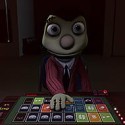




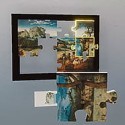
What do you do when an earthquake has scattered more than 5000 puzzle pieces across a gallery and you are the only janitor on shift? In Sort the Puzzle Gallery you pick them up one at a time and rebuild nearly 200 famous paintings around you. The game is a cozy first-person organization simulator with classical music playing in the background, and it suits both slow, relaxed solving and stopwatch-driven speed runs. Few cleaning jobs make the mess this pretty.
| Genre | Casual, organization simulator |
| Perspective | First-person |
| Puzzles | Nearly 200 paintings, 5000+ pieces |
| Play Modes | Solo, plus co-op for up to 4 players in My Puzzles |
How Sort the Puzzle Gallery Turns Cleanup Into Jigsaw Work
The premise is simple. After the quake, every painting in the gallery has come apart, and your job as the janitor is to hunt down loose pieces, carry them to the right canvas, and lock them back into place. The collection covers more than 20 famous artists, with Monet, Van Gogh, and Hokusai among them, so each section of the gallery looks visually distinct from the next. That variety matters more than it sounds, because the work of Hokusai and the work of Monet ask very different things from your eyes.
Beginners often treat the gallery like a normal jigsaw table and try to solve one huge painting from start to finish. Here the pieces are scattered everywhere, so the real first skill is scanning the floor for colors, patterns, and shapes that belong to the canvas in front of you. Players who like calm, methodical work will settle in quickly.
Difficulty comes from size and subject rather than a timer, at least until you decide to chase one. Small paintings finish fast and teach you how placement works, while larger ones with busy skies or repeating textures test your patience. A simple first-hour plan works well:
- Pick a small painting with strong, distinct colors.
- Collect nearby pieces before you start placing any.
- Use the ghost preview on hover to confirm each match.
- Move to a larger canvas once the controls feel automatic.
Ghost Previews and Shimmering Lock-In: What Solving Feels Like
The interface does a lot of quiet teaching. Hovering a piece over a canvas shows a ghost preview of where it belongs, and a correct placement ends with a shimmering lock-in effect that rewards each success with a small burst of satisfaction. Those two details are the reason the loop stays pleasant across thousands of pieces. After a few hundred placements the shimmer becomes a rhythm you chase, and the gallery slowly fills with finished color.
Beginners sometimes lean on the ghost preview for every piece and then wonder why they cannot recognize shapes on their own. Treat it as a check rather than a crutch. Puzzlers who already solve real jigsaws will find their habits carry over, especially sorting by color and edge shape before committing.
The honest weak spot is repetition. Rebuilding paintings is the entire job, so anyone who wants a wide mix of activities may feel the loop thin out after a long session. The game leans on its art, its classical soundtrack, and its upgrades to keep things fresh, and how well that works depends on how much you enjoy the act of matching pieces.
Skill Upgrades and Sprinting Across the Gallery
Skill upgrades are the progression spine. Each completed puzzle improves different areas of your brain, and the game describes them as helping you find, manipulate, and solve pieces faster over time. Early in the game you are slow and deliberate. Once upgrades stack up, the same painting feels like a different job, and min-maxing them becomes a real strategy for players chasing the fastest solve times.
Movement matters as much as puzzle skill. The gallery is large, and the description explicitly mentions sprinting across it, so route planning between piles of pieces and canvases becomes part of the challenge. Speed-focused players tend to grab pieces in batches and clear one section at a time, which is a habit worth copying even if you are not racing.
A common mistake is spreading upgrades evenly without thinking about play style. Relaxed solvers can pick whatever looks fun, but anyone aiming at faster clear times should favor the upgrades that shorten the walk and speed up the search for the right piece.
Black & White Mode and The Big White: Where Sort the Puzzle Gallery Bites Back
Challenge Modes are for puzzlers who do not want any help. Black & White Mode strips away the color you normally rely on to match pieces, so you fall back on shape, texture, and brightness. It changes how the whole gallery reads, and it sounds gentle until you try it on a busy painting.
The Big White is the mode people bring up when they talk about difficulty. It is 1024 pieces of pure white with no picture to guide you, which turns the puzzle into a test of shape recognition and stubbornness. Expect it to divide players. Some will treat it as the ultimate trophy, and others will call it a gag that stopped being funny after the first hundred pieces.
The best approach is to arrive at these modes after a few upgrades and a handful of normal paintings. By then the lock-in rhythm and piece-hunting habits are second nature, and the modes feel like a fair test rather than an ambush.
Custom Galleries and Co-op in Sort the Puzzle Gallery
My Puzzles mode lets you upload your own images and turn them into puzzles, up to 500 at a time, so you can fill the gallery with memes, artwork, or pet photos. You choose the size and shape of each puzzle, from a 50-piece pet portrait to a 1000-piece landscape. That flexibility gives the game its long tail, since the supply of puzzles is limited only by your image folder.
The mode supports up to 4 players, and it works for both a custom gallery and the classic paintings. Group play changes the dynamic. Instead of one janitor hunting pieces alone, friends can split the floor, call out colors, and race toward the final lock-in. Co-op suits players who want a relaxed evening with friends more than a competition.
Custom puzzles are only as good as the image you choose, and a few patterns keep working:
- Choose images with clear color regions for shorter, friendlier puzzles.
- Pick busy landscapes when you want a long solve.
- Try a small pet photo when you want to teach a friend the controls.
Questions Puzzlers Ask About Sort the Puzzle Gallery
Can you play Sort the Puzzle Gallery with friends?
Yes. My Puzzles mode supports up to 4 players, so you and three friends can work as a cleaning crew in a custom gallery, and the same setup works with the classic paintings. Everyone shares the same mess of scattered pieces, which makes calling out colors and shapes a big part of the fun.
How many puzzles does the gallery hold?
The base gallery holds nearly 200 paintings from more than 20 famous artists, with over 5000 pieces scattered after the earthquake. Challenge Modes such as Black & White Mode and The Big White add extra ways to replay the same collection, and My Puzzles adds as many as you choose to upload.
Can you turn your own photos into puzzles?
Yes. You can upload up to 500 images in common formats such as png, jpg, and webp, then choose the size and shape of each puzzle. A 50-piece pet portrait works as an easy solve, while a 1000-piece landscape is a proper challenge for skilled puzzlers.
Sort the Puzzle Gallery is at its best when you stop watching the clock and let the classical music carry you through a Monet or a Hokusai, one lock-in shimmer at a time. The upgrade tree, Black & White Mode, and The Big White give the same gallery a sharper edge for anyone who wants to test their speed and eyesight. Either way the janitor’s job stays the same: find the piece, place it, and watch the wall come back together.
Comments
There are no reviews yet. Be the first one to write one.