













Click To Continue















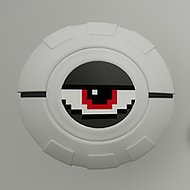
Click To Continue starts with a room that gives you almost nothing to work with: a clean white space, a single button, and no useful explanation. The unusual part is that the number connected to the button moves downward instead of climbing upward, turning a familiar clicker idea into a countdown-driven puzzle. The game gradually adds panels, upgrades, system controls, and stranger tasks, so the real challenge becomes understanding what each new layer is doing.
The Decreasing Counter in Click To Continue
The first few minutes encourage a very basic habit: press the button and watch the counter change. Because the number decreases, the usual clicker expectation is immediately reversed. You are not building an ever-larger total; you are trying to discover what the shrinking value is actually leading toward.
That difference matters when new panels appear around the room. Some upgrades affect the speed or power of your clicking, while other elements introduce automation or entirely different interactions. A player who keeps clicking without checking the newly opened interface can miss the reason the current counter has changed.
Players familiar with incremental games will recognize terms such as click power, automation, efficiency, threshold, and reset. Here those ideas are deliberately rearranged, because progress is measured by getting closer to an unknown endpoint rather than watching a number grow forever.
Panels and Upgrades in Click To Continue
The room becomes less empty as progress continues. New panels open after enough clicks, and each one changes what the player can see or manipulate. The important skill is not clicking as quickly as possible but noticing when the rules have expanded.
A useful approach is to inspect every new panel before returning to rapid clicking. The game includes a terminal that can be used to manipulate systems, which means the interface eventually becomes part of the puzzle rather than simply displaying statistics. That change is easy to overlook if you treat the whole game as a conventional button masher.
The strongest moments come when a familiar clicker convention suddenly behaves differently. An upgrade may look like something designed to increase output, yet the surrounding system is still built around a decreasing value. That contradiction gives the game much of its humor.
The Terminal and Hidden Systems
The terminal introduces a more deliberate kind of interaction. Instead of simply producing another click, the player can start examining the systems behind the room. This gives the game a light hacking flavor and makes curiosity useful rather than decorative.
One detail becomes especially noticeable during repeated play: the room itself acts like a progress display. Changes in panels, numbers, and available controls tell you that the current state is not permanent. The visual environment therefore becomes a source of information even when the game is not explicitly giving instructions.
The game can feel divisive because much of its appeal depends on enjoying absurdity and experimentation. Players who want a conventional idle progression system may find the interruptions frustrating, while players who like surreal puzzle design can treat every strange interface change as another clue.
How Click To Continue Changes the Clicker Formula
Click To Continue is most interesting when the player stops asking how to maximize clicks and starts asking what the clicks are actually accomplishing. Early in the game, repetition is enough to open the next layer. Later, observation becomes just as important as speed because the room begins communicating through its changing systems.
For a first-time player, the safest rhythm is simple: click, inspect, test one new option, then return to the main button. That prevents the interface from becoming a wall of unexplained controls. Players who enjoy optimization can eventually focus on automation and efficiency, while puzzle-oriented players may spend more time experimenting with the terminal.
One recognizable moment is when the player realizes that the white room is no longer just a backdrop for the button. The panels and systems have become part of the mystery, and the shrinking number starts to feel like a question rather than a score.
Why does the number go down in Click To Continue?
The decreasing counter is the central twist on the usual incremental structure. Instead of building a larger total, clicks reduce the displayed value and gradually unlock panels, upgrades, and other systems. The purpose of the countdown becomes part of the mystery.
What should you do when new panels appear in Click To Continue?
Stop clicking for a moment and inspect the new controls. Some panels provide upgrades or automation, while the terminal introduces a different kind of interaction. Understanding what has changed is more useful than immediately returning to rapid clicking.
Does Click To Continue have an ending?
Yes, the game is designed around reaching an endpoint rather than continuing forever like a typical idle clicker. The decreasing counter, newly revealed systems, and hidden information all contribute to discovering what the room is ultimately asking you to do.
Click To Continue turns a white room, a shrinking counter, and one button into a compact mystery about progress itself. The changing panels and terminal give the game more depth than its opening suggests, while the downward number keeps every click pointed toward a specific question: what happens when it finally reaches its destination?
Comments
There are no reviews yet. Be the first one to write one.